 RedOrchestra.pl
Revenge of the Turul v2.2
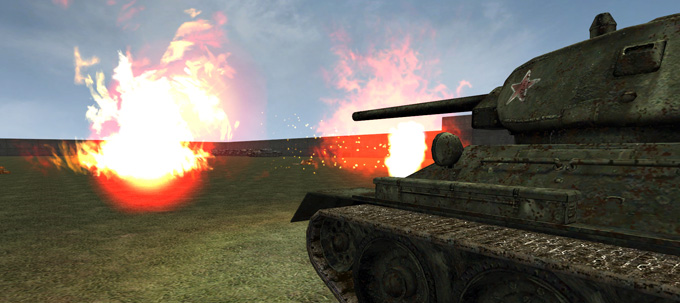
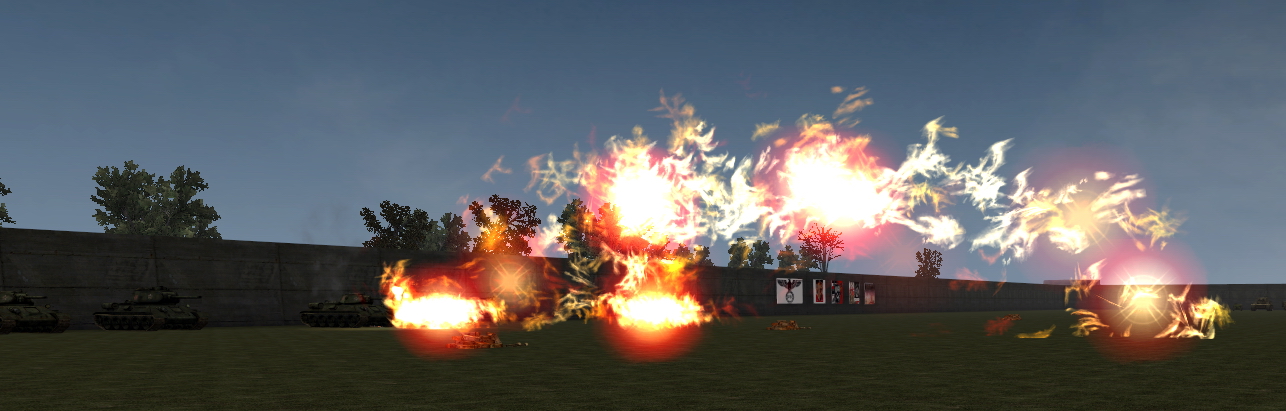
Wychodzi patch do RotT, który oczywiście będzie dostępny na naszej stronie.
Co znajdzie się w nowej odsłonie? Oto changelog:
Tanks:
-Flammpanzer III
-OT-34
-OT-34/85
-KV-8
-KV-8S
-two new textures and a new shooting sound for Tiger II
-new Hungarian tank: M34 Toldi III in summer and winter camouflage
New tank textures for:
-most Russian tanks
-Panzer IV F1
-Panther D
-Jagdpanzer 38 (t)
+ darked textures for all Hungarian tanks
Tank optic changed/precision increased:
-up to 600m for 39M Csaba
-up to 600m for Toldis with 20mm gun
-up to 1.000m for Toldis with 40mm gun, ammunition changed
-overworking M40 Nimrod optic, up to 1.000m
-new optic for T-38, up to 1.000m
-new optic for P III Ausf. N, working up to 2.000m
-new optic for M41 Turan, up to 1.000m
-new optic for M43 Turan, up to 3.000m
-new optic for M44 Zrinyi, working up to 2.500m
-overworked optic for KV-1S, now precise up to 1.000m
-KV-85 optic works now fine up to 1.000m, same with IS-1
-new optic for 40/43M Zrinyi, up to 1.000m
-new optic for Tas Roham Löveg, working up to 4.000m
Weapons
-single fire mode for PPD-40, PPSH-41 and MP 41
-new Russian weapon: AVT-40
-Hungarian side arms have now the right bullet speed
And several other changes for more realism.
The following things are in work:
-new optic for M40 Turan
-Flammpanzer 38(t)
Skomentuj wiadomość w temacie na naszym forum!
RedOrchestraPoland Discord
Server
Search
-
Ostatnio na forum
- 2026 Apr 24 Classic Ostfront (RO.PL FN)
- 2026 Mar 27 Classic Ostfront (RO.PL FN)
- 2026 Feb 27 Classic Ostfront (RO.PL FN)
- 2026 Feb 20 Combined Arms-RO Mod for UT2004 (RO.PL FN)
- 2026 Feb 13 Mare Nostrum (RO.PL FN)
- 2026 Feb 06 Siebenbürgen (RO.PL FN)
- 2026 Jan 30 Classic Ostfront (RO.PL FN)
- 2026 Jan 23 UT2004 RO3.3 Combined Arms Mod (RO.PL FN)
- 2026 Jan 16 Mare Nostrum (RO.PL FN)
- 2026 Jan 09 Siebenbürgen (RO.PL FN)
RedOrchestra.PL on YouTube
#redorchestra #redorchestramod #ut2004 #unrealengine 4 weeks FightNights schedule - relative event's position - current for August 2026 (Fridays 20:00 CET) (in console type: open 87.98.237.193:7757) - Classic Ostfront - Siebenbürgen (Revenge of the Turul + Carpathian Crosses) + few crossover maps - Mare Nostrum - Red Orchestra 3.3 Mod for UT2004 (dl here: https://tinyurl.com/ut2004ro33mod link will redirect download to Google Drive) You can use 𝑨𝑵𝒀 Unreal Tournament 2004 source for installing this mod; you can even for free acquire legally "latest OldUnreal" from Community Project Page- https://www.oldunreal.com/downloads/ut2004/full-game-installers/ - since February 2023 UT2004 Master Server is shut down (no servers visible in game) so to join the server just open console (by `) and type: open 87.98.237.193
#redorchestra #redorchestramod #ut2004 #unrealengine You can use 𝑨𝑵𝒀 Unreal Tournament 2004 source for installing this mod; you can even for free acquire legally "latest OldUnreal" from Community Project Page- https://www.oldunreal.com/downloads/ut2004/full-game-installers/ - since February 2023 UT2004 Master Server is shut down (no servers visible in game) so to join the server just open console (by `) and type: open 87.98.237.193 4 weeks FightNights schedule - relative event's position - current for August 2026 (Fridays 20:00 CET) (in console type: open 87.98.237.193:7757) - Classic Ostfront - Siebenbürgen (Revenge of the Turul + Carpathian Crosses) + few crossover maps - Mare Nostrum - Red Orchestra 3.3 Mod for UT2004 (dl here: https://tinyurl.com/ut2004ro33mod link will redirect download to Google Drive) Downloads: UT2004 - RO3.3 Mod: https://tinyurl.com/ut2004ro33mod UT2004 - RO3.3 MapPack: https://tinyurl.com/UT2004-RO33-Mappack (not mandatory as every extra file is redirect-downloaded from the server when needed) Revenge of the Turul Mod: https://tinyurl.com/RotT-Mod Carpathian Crosses Mod: https://tinyurl.com/Carpathian-Crosses-Mod
4 weeks FightNights schedule - relative event's position - current for July 2026 (Fridays 20:00 CET) (in console type: open 87.98.237.193:7757) - Classic Ostfront - Siebenbürgen (Revenge of the Turul + Carpathian Crosses) + few crossover maps - Mare Nostrum - Red Orchestra 3.3 Mod for UT2004 (dl here: https://tinyurl.com/ut2004ro33mod link will redirect download to Google Drive) You can use 𝑨𝑵𝒀 Unreal Tournament 2004 source for installing this mod; you can even for free acquire legally "latest OldUnreal" from Community Project Page- https://www.oldunreal.com/downloads/ut2004/full-game-installers/ - since February 2023 UT2004 Master Server is shut down (no servers visible in game) so to join the server just open console (by `) and type: open 87.98.237.193 or if you want to see it in game browser again (and other servers if these would be online) you need to do one-time modification of one file in your mod (RO) folder you have just installed on your UT2004 game so: open Unreal Tournament 2004\RedOrchestra\System folder find and open (with text editor like Notepad) RedOrchestra.ini find the block [IpDrv.MasterServerLink] delete or put semicolon (;) before the line "MasterServerList=(Address="ut2004master.epicgames.com",Port=28902)"* (and any line referring to "epicgames" as EPIC shut down the masterserver for UT2004 in 2023 and will not start it again) replace it with: MasterServerList=(Address="ut2004master.333networks.com",Port=28902) MasterServerList=(Address="ut2004master.errorist.eu",Port=28902) save the file and that is it - one-time "repair" for the RO3.3 Mod Downloads: UT2004 - RO3.3 Mod: https://tinyurl.com/ut2004ro33mod UT2004 - RO3.3 MapPack: https://tinyurl.com/UT2004-RO33-Mappack (not mandatory as every extra file is redirect-downloaded from the server when needed) Revenge of the Turul Mod: https://tinyurl.com/RotT-Mod Carpathian Crosses Mod: https://tinyurl.com/Carpathian-Crosses-Mod For anyone who install Revenge of the Turul mod - there is one file in other version than in "normal" servers so there would be mismatch error when joining any other server - we are using the standard file so after installing you need either to delete the file and have it downloaded from server(s) or before installing make a backup copy to restore it after installation process - the file is: InterfaceArt_ahz_tex.utx in textures folder. RedOrchestraPoland Steam Group Chat: https://steamcommunity.com/chat/invite/IvjUtdaq FACEBOOK: https://www.facebook.com/RedOrchestraPoland/ Join Mare Nostrum FightNight STEAM Chat: https://steamcommunity.com/chat/invite/SYIqiUx7
STEAM Groups
Tagi
Artykuły Bez kategorii Carpathian Crosses Darkest Hour First to Fight (mod RO:HoS) Informacja techniczna Iron Front: Liberation '44 Karelian Front Mecze, Turnieje oraz Ligi Red Orchestra RedOrchestra.Pl Revenge of the Turul Rising Storm RO 2: Heroes of Stalingrad Steam Wiadomości Wydarzenia Wywiady i wywiadziki... Zmiany w grze


 RO: Ostfront 1941-1945 POLAND
 RedOrchestraPoland